Next.js Robot Fleet Management Template with 3D Map and Missions - ReUI
Robot Fleet - Next.js Fleet Management Template
new
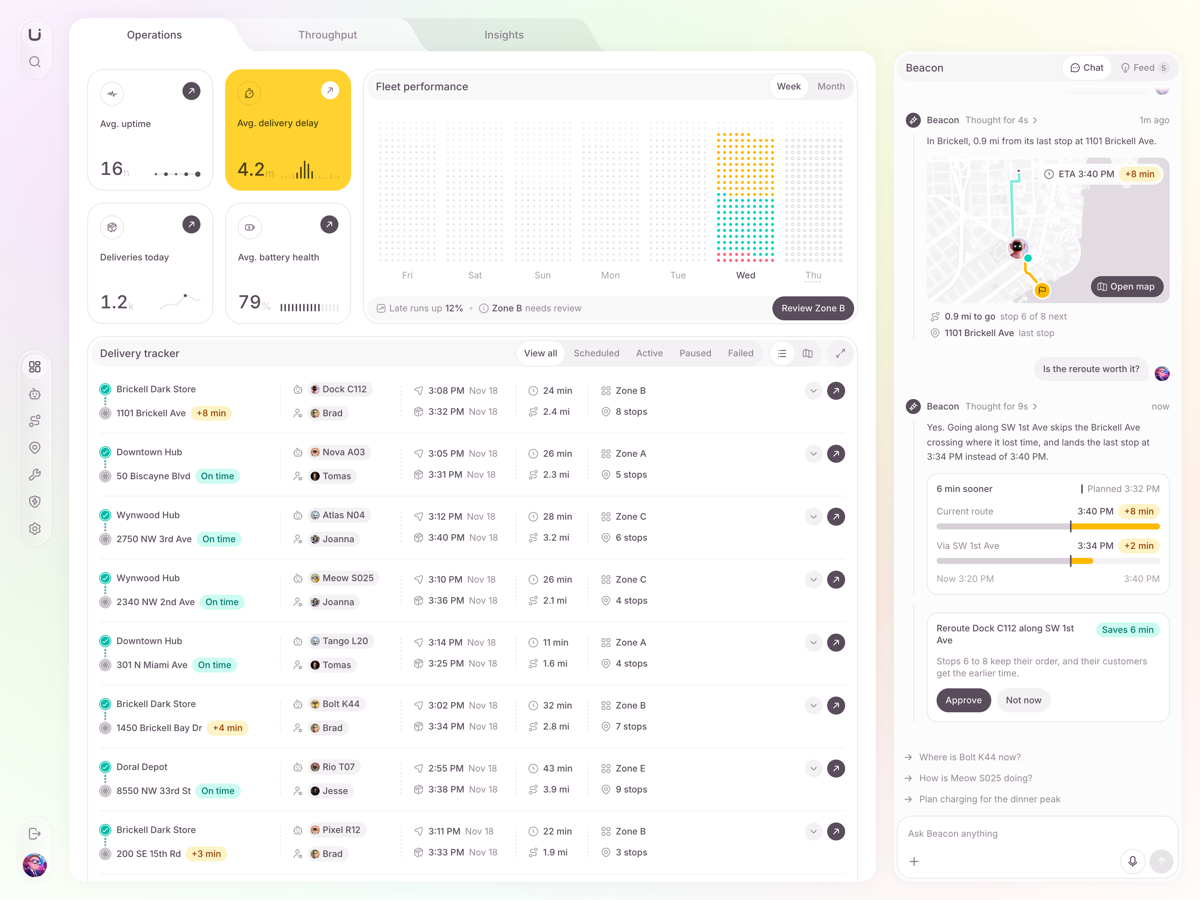
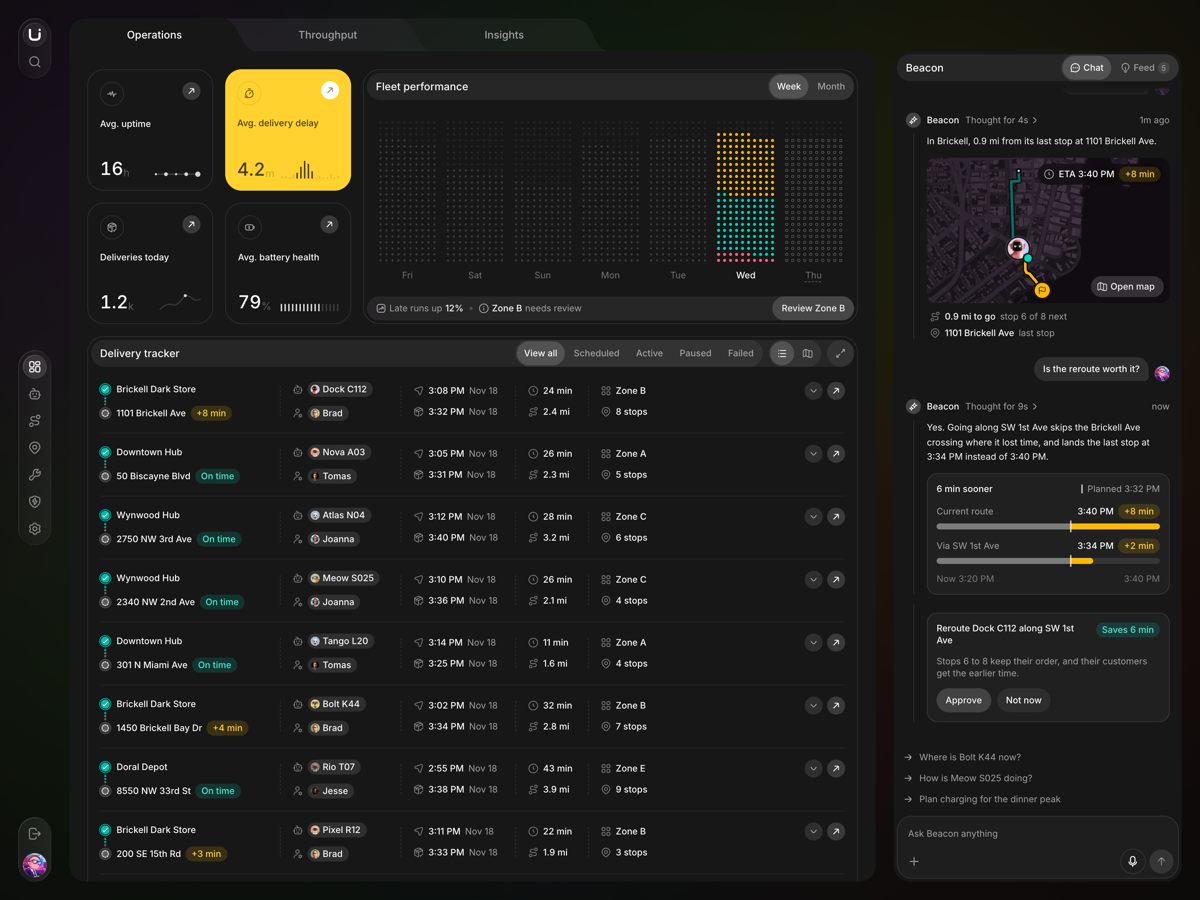
Manage a Miami delivery robot fleet in Next.js: robots you can pause or call back, missions, a 3D city map, maintenance, alerts, and a copilot on every page.
More templates
What is included
Stepping in mid-run.Pause, resume or recall a robot from its page or by asking Beacon, each with Undo.
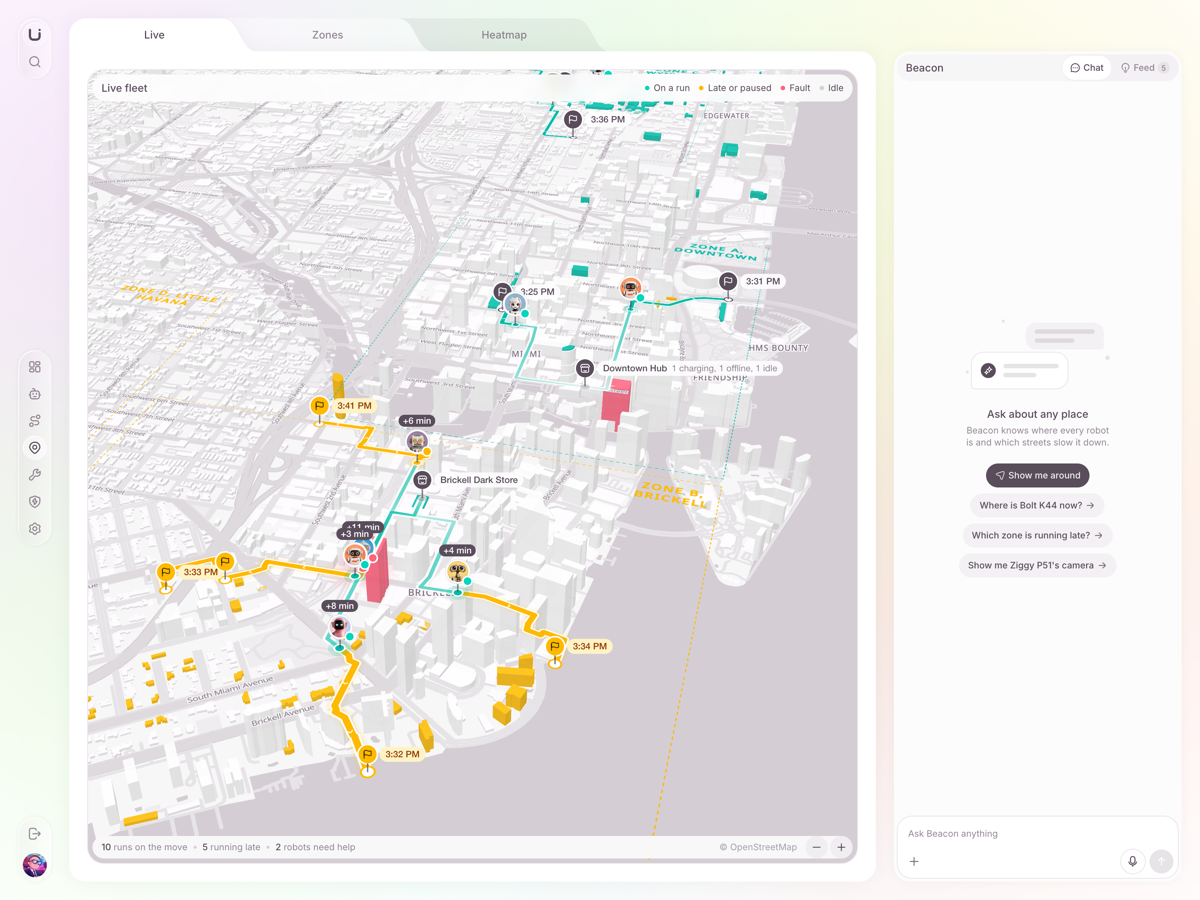
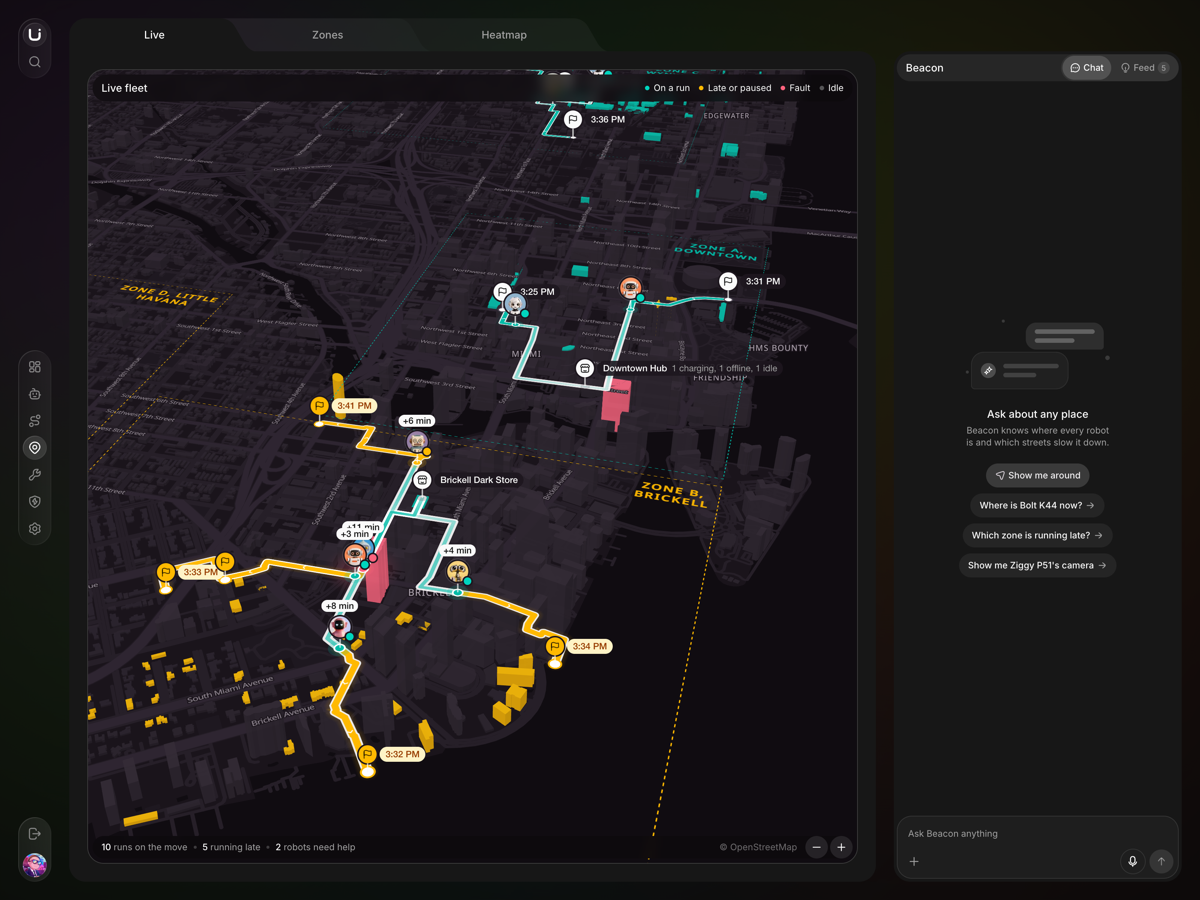
Miami in 3D.MapLibre draws the city from a bundled 12 MB OpenStreetMap archive, with no tile server.
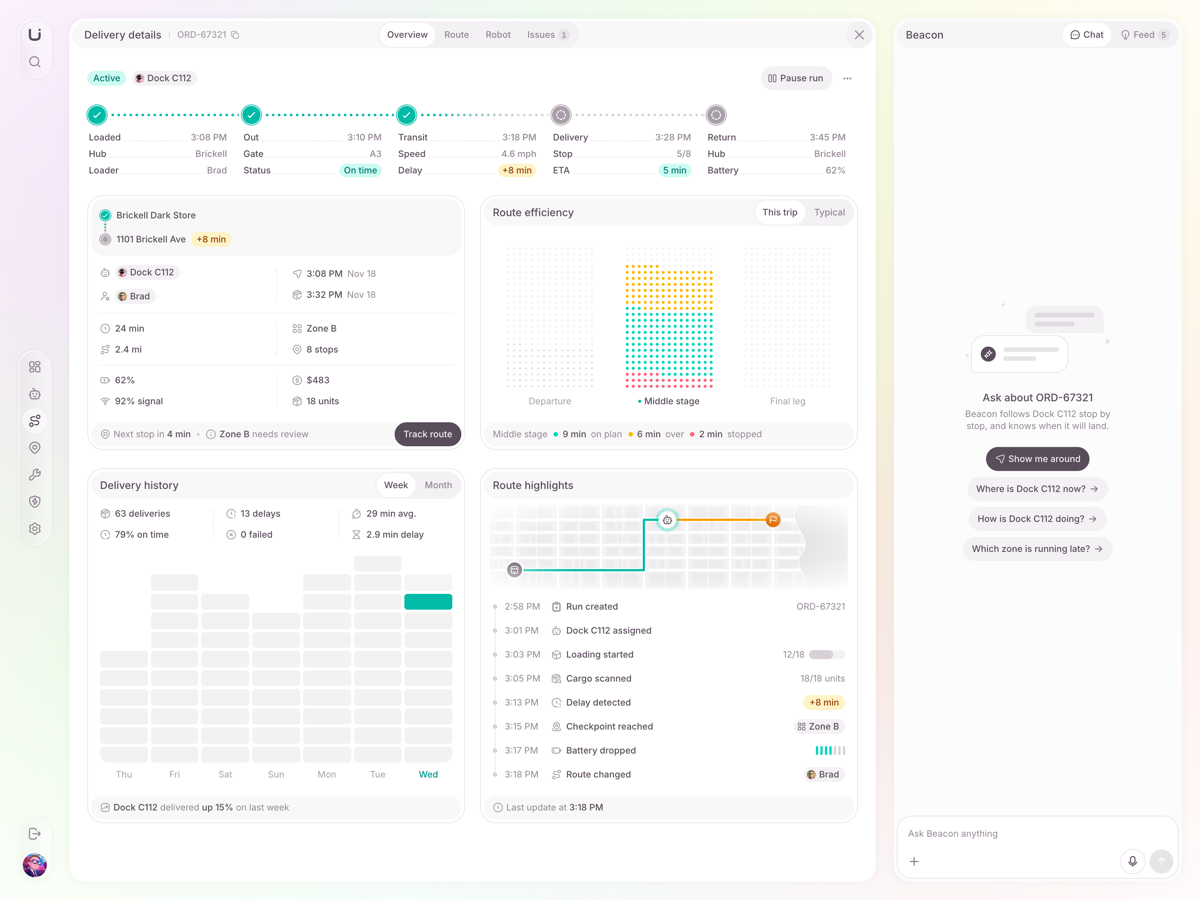
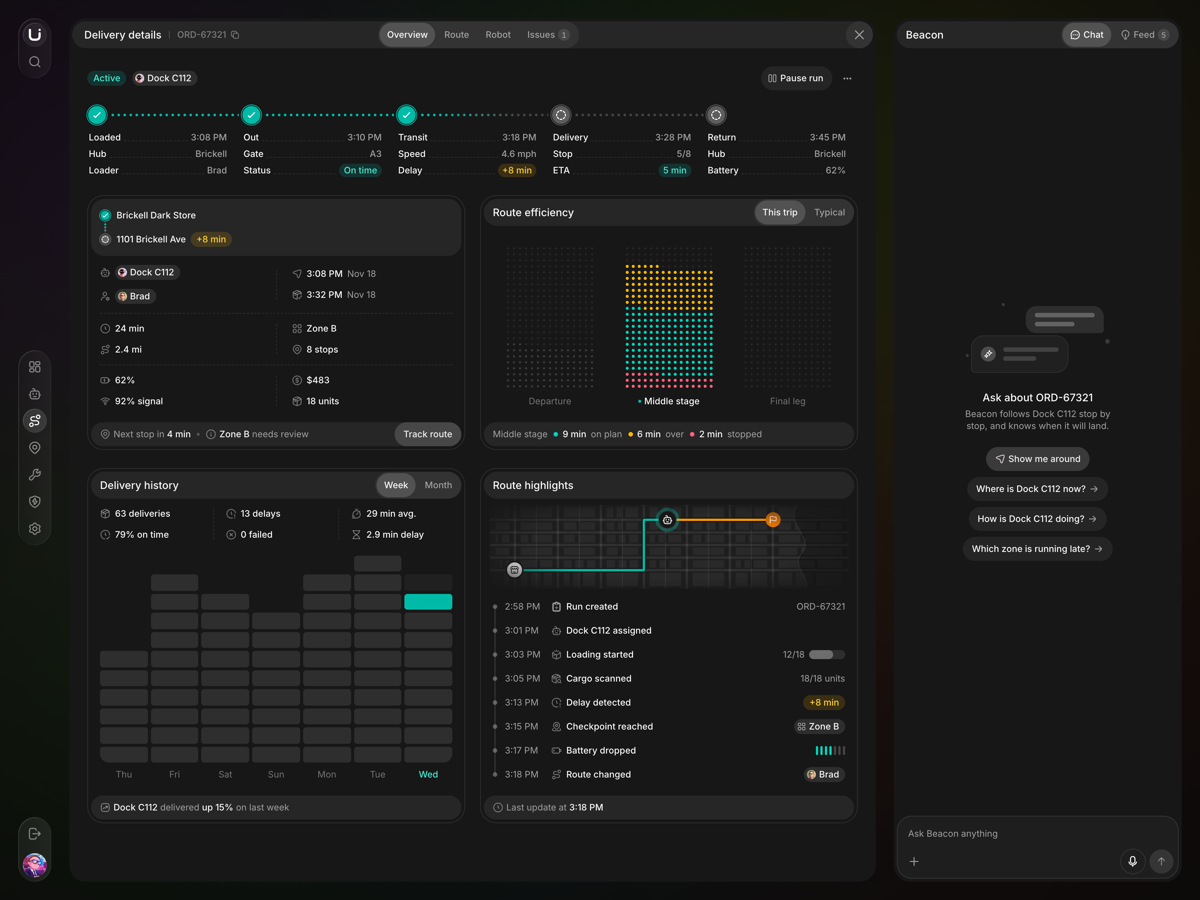
Runs, step by step.Five steps from Loaded to Return, and three stages whose minutes split into on plan, over and stopped.
Dispatch from Missions.Queue, pause or cancel runs; the tab counts follow.
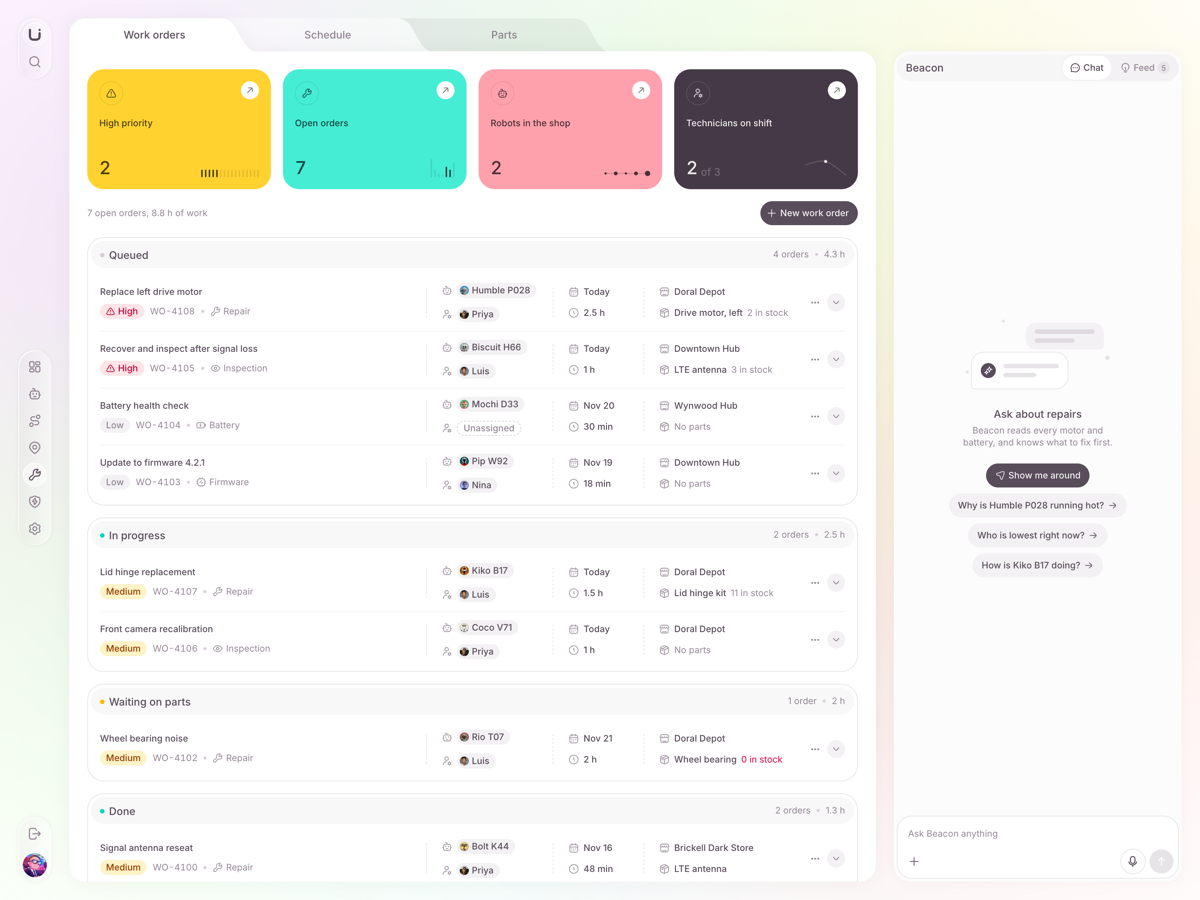
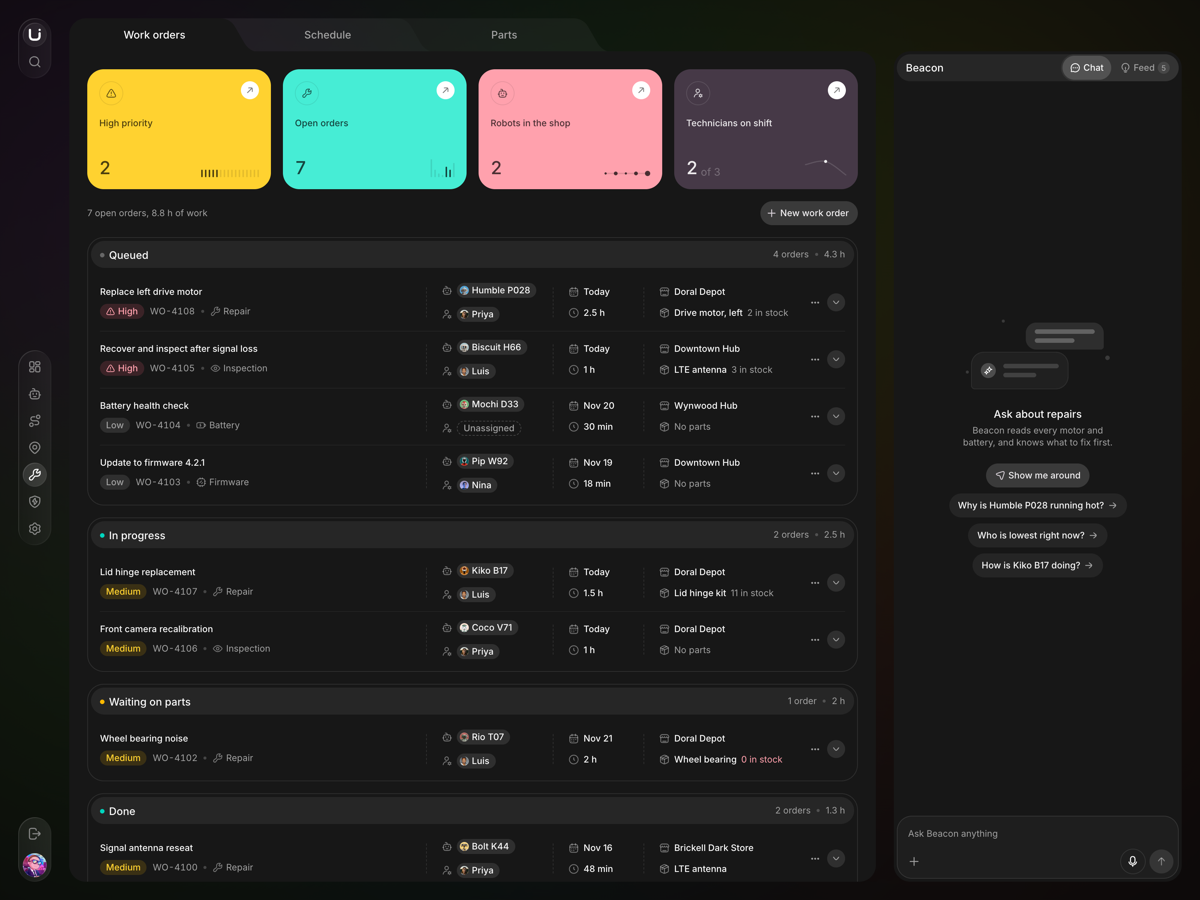
Parts against minimums.Reorders preset to clear the minimum, and each part lists the work orders waiting on it.
Access by role.Settings sets Edit, View or None for six roles across eight areas; pages do not check it.
A copilot per page.Beacon keeps a scripted thread per page, and answers about a robot fly the Live Map to it.
Telemetry as gauges.Battery as cells, motor heat against its limit, speed on a dial.
Who it is for
Pitching a delivery robot serviceEighteen robots, four Miami hubs and live runs give an investor demo something to click.
Mapping a city without a tile providerThe map reads one PMTiles file in public/map, so there is no key or per-tile bill.
Wiring your own fleet APIReads go through lib/data/index.ts, and robot commands through one hook, useRobotCommand.
Frequently asked questions
Is there a backend, and how long do my changes last?
There is no backend: every page calls the synchronous functions in lib/data/index.ts, which return the fixtures in lib/data/fixtures/, and nothing is written anywhere. A robot you pause, resume or send back to its hub, from its page or from Beacon, stays that way across the console until a reload or Sign out, because LiveRobotsProvider in app/(app)/layout.tsx holds it, though the Robots list, Missions and the map keep showing the fixtures. Other edits, such as a queued run or an acknowledged alert, live in their page and go when you leave it. Only the theme and the tours you have seen are kept, in localStorage.
Does the sign-in page authenticate, and does Beacon run a model?
Neither. The rail's Sign out opens /sign-in with the demo operator's email and password filled in, and Sign in, Google and Apple all call enter() in features/auth/components/sign-in.tsx, which only opens /dashboard. Nothing is guarded, with no middleware or proxy.ts, and the Roles and access matrix in Settings is page state that no route checks. Beacon matches words in the question to a scripted reply in features/beacon/lib/demo-replies.ts, which is where your assistant connects, and a command card's Approve acts on the robot through useRobotCommand, as the page's buttons do.
How is Robot Fleet different from Golf Robot Fleet?
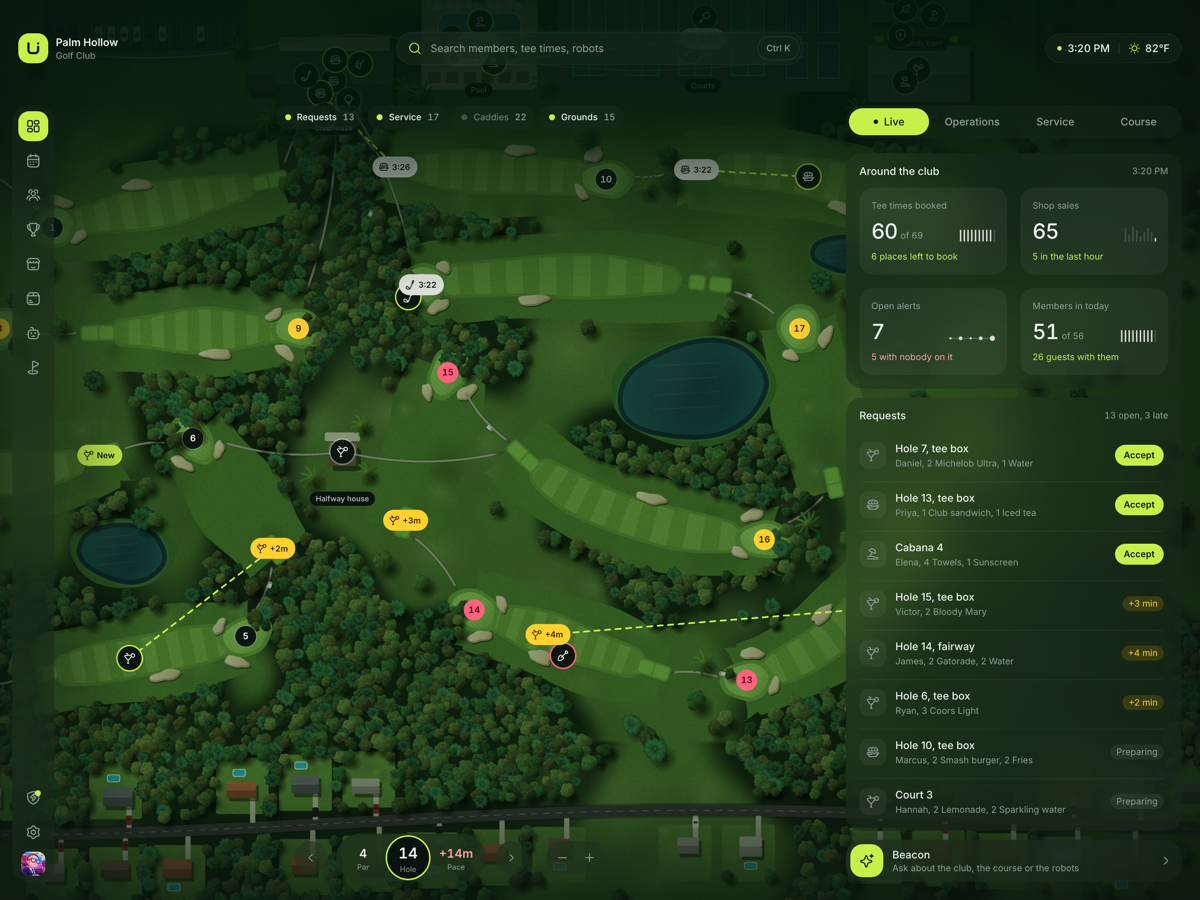
Robot Fleet serves a fleet manager running city deliveries: missions with a five-step run stepper, a 3D MapLibre map over a bundled 12 MB OpenStreetMap archive of Miami, maintenance work orders with a parts shelf, and a Beacon that takes an order for a named robot and acts once you approve. Golf Robot Fleet shares the Beacon copilot and the card kit but runs a golf club: a tee sheet, members, events, a pro shop, robot-delivered member requests and a course painted on a canvas. There Beacon always opens as a drawer and only proposes, there is no sign-in page, and the theme is dark only, where Robot Fleet ships light, dark and system.
What do I get when I download a template?
The full source of a standalone project: every page, component, route, and style, ready to run locally. Templates are built entirely from ReUI blocks and components, so the code matches the registry you already use.
Do I need a plan to download templates?
Free templates only need a ReUI account, so sign in and download. Every other template is included with the Ultimate plan, alongside all blocks and Motion Icons.
Are templates sold individually?
No. Templates come with the Ultimate plan rather than as separate purchases, so one upgrade unlocks the whole catalog, including everything added later.
How do I install a template?
Download the source, install dependencies with your package manager, add your environment variables, and run the dev server. Each template ships a README with its own setup steps.