Next.js Golf Club Management Template with Tee Sheet and Robots - ReUI
Golf Robot Fleet - Next.js Golf Club Management Template
new
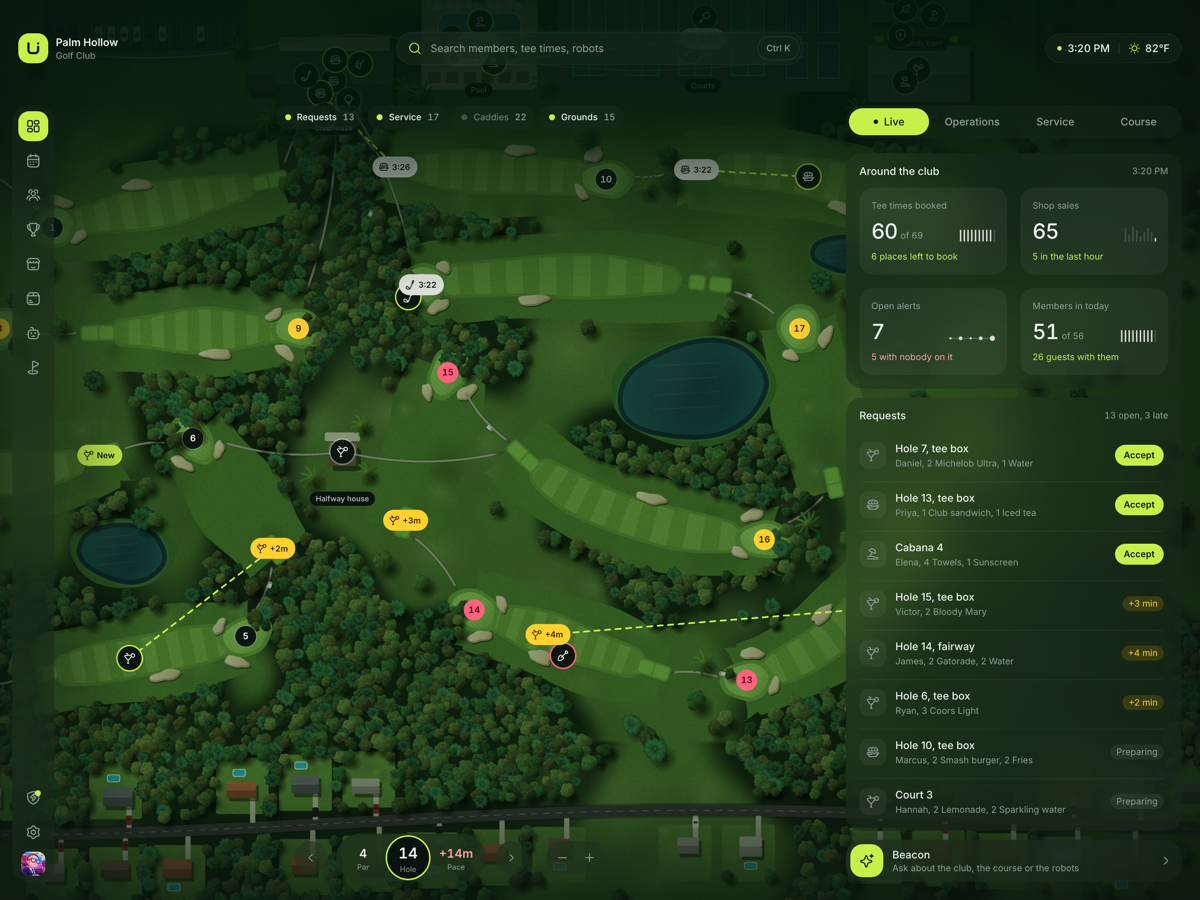
A golf club manager on Next.js: tee sheet, members and house accounts, events with a leaderboard, the pro shop, members' requests and 54 robots on a painted course.
More templates
What is included
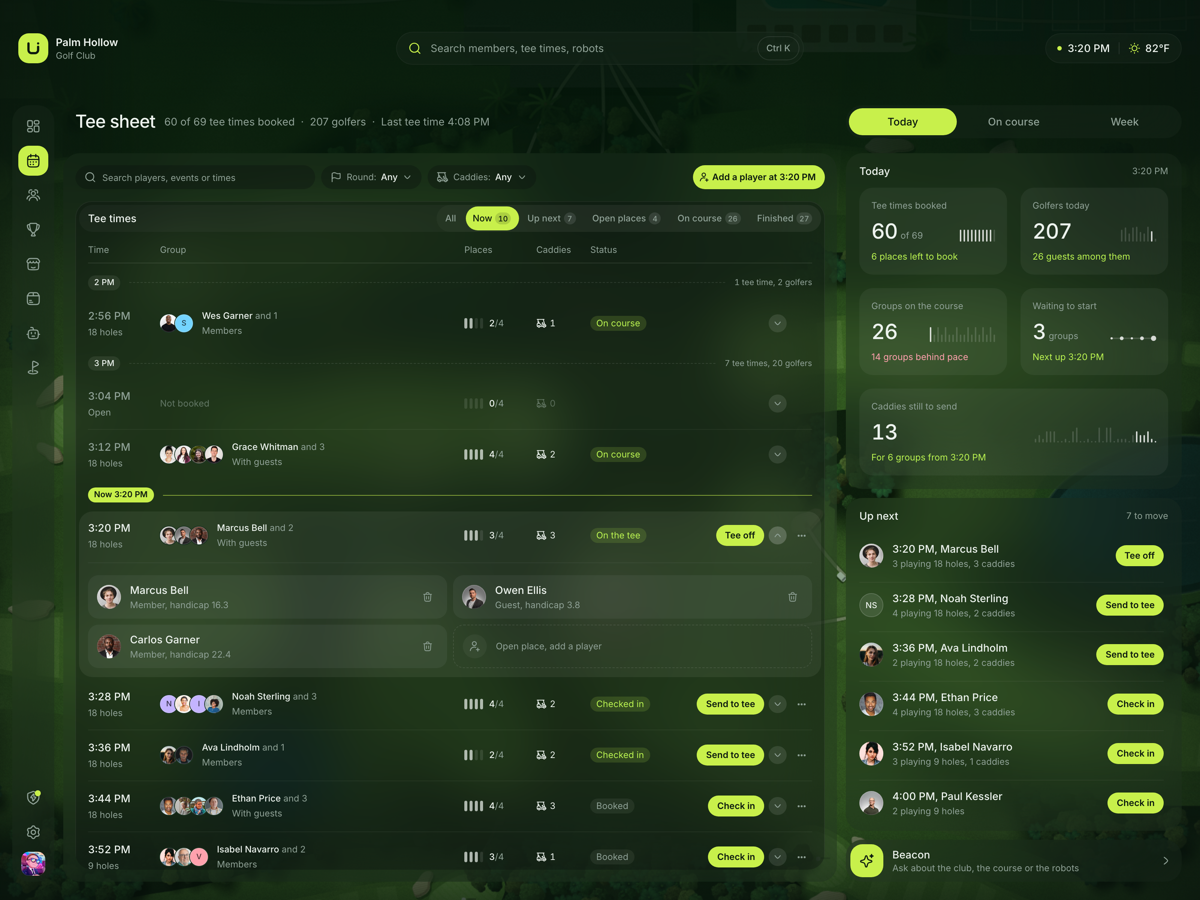
Eight minute tee sheet.69 tee times, 7:04 AM to 4:08 PM; the starter checks each group in and tees it off.
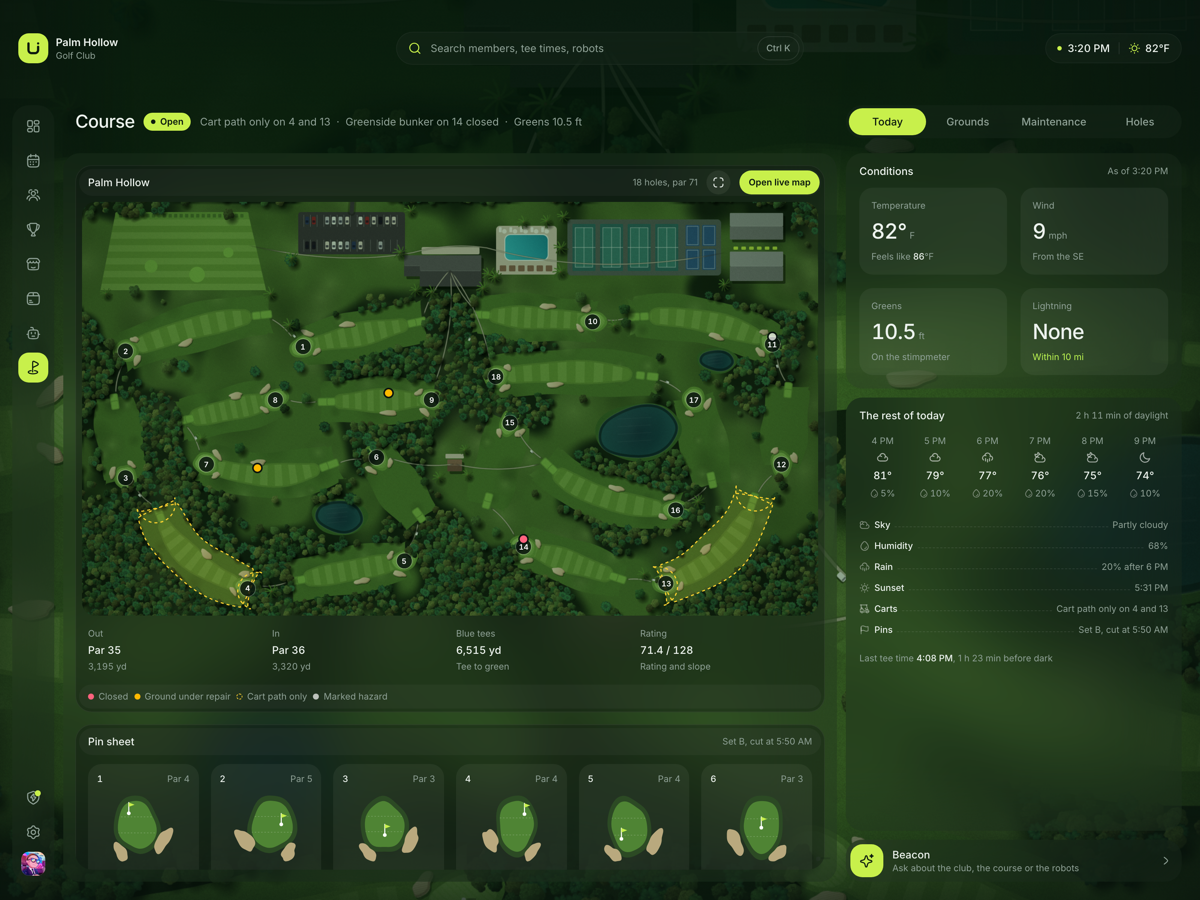
Mark the course.On the Course page, pick a green to close its hole or mark ground under repair.
Orders to the hole.Requests to a tee box, cabana or court run five timed steps, and alcohol is ID checked.
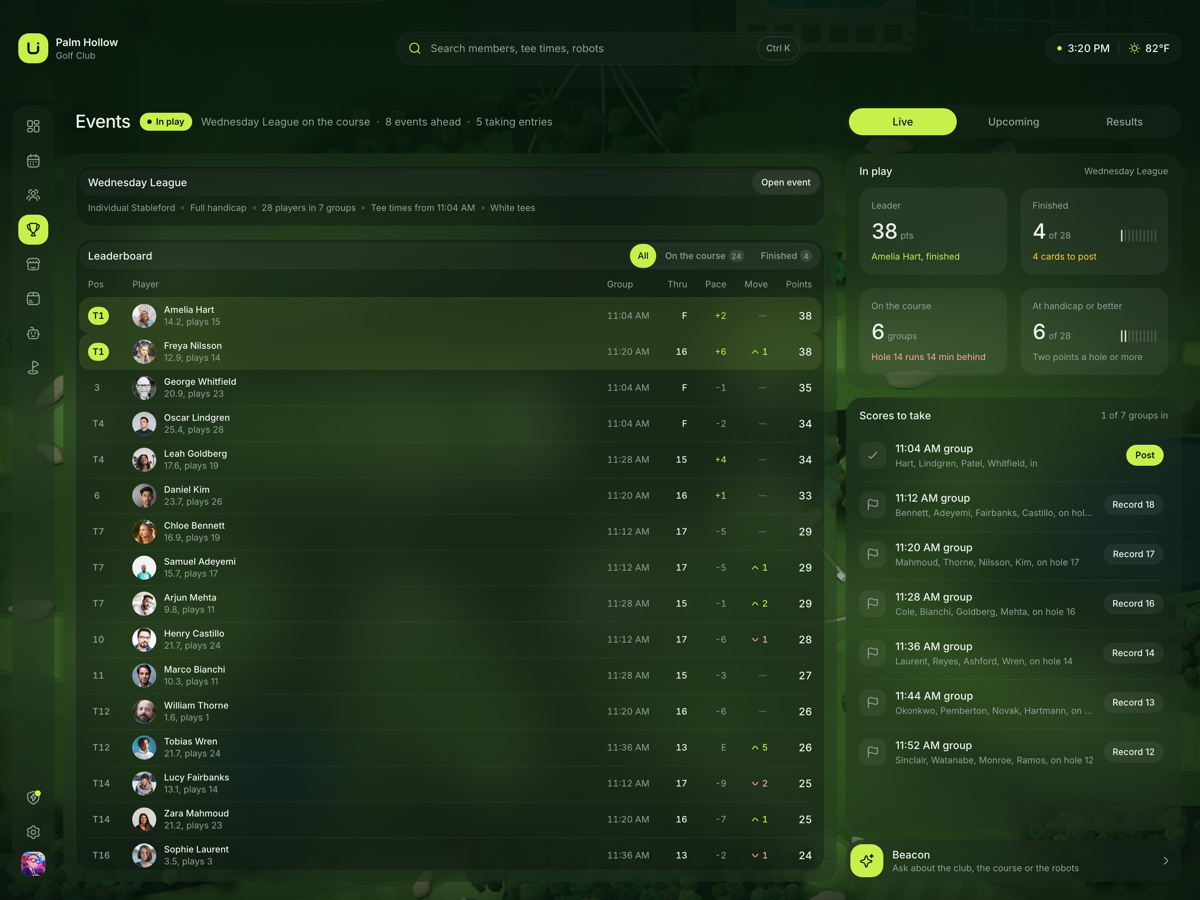
A leaderboard from cards.Enter a hole's scores and the Stableford or net board re-ranks, with countback once final.
Handicaps and house accounts.60 members, each with a twelve month handicap trend; record a payment and the balance drops.
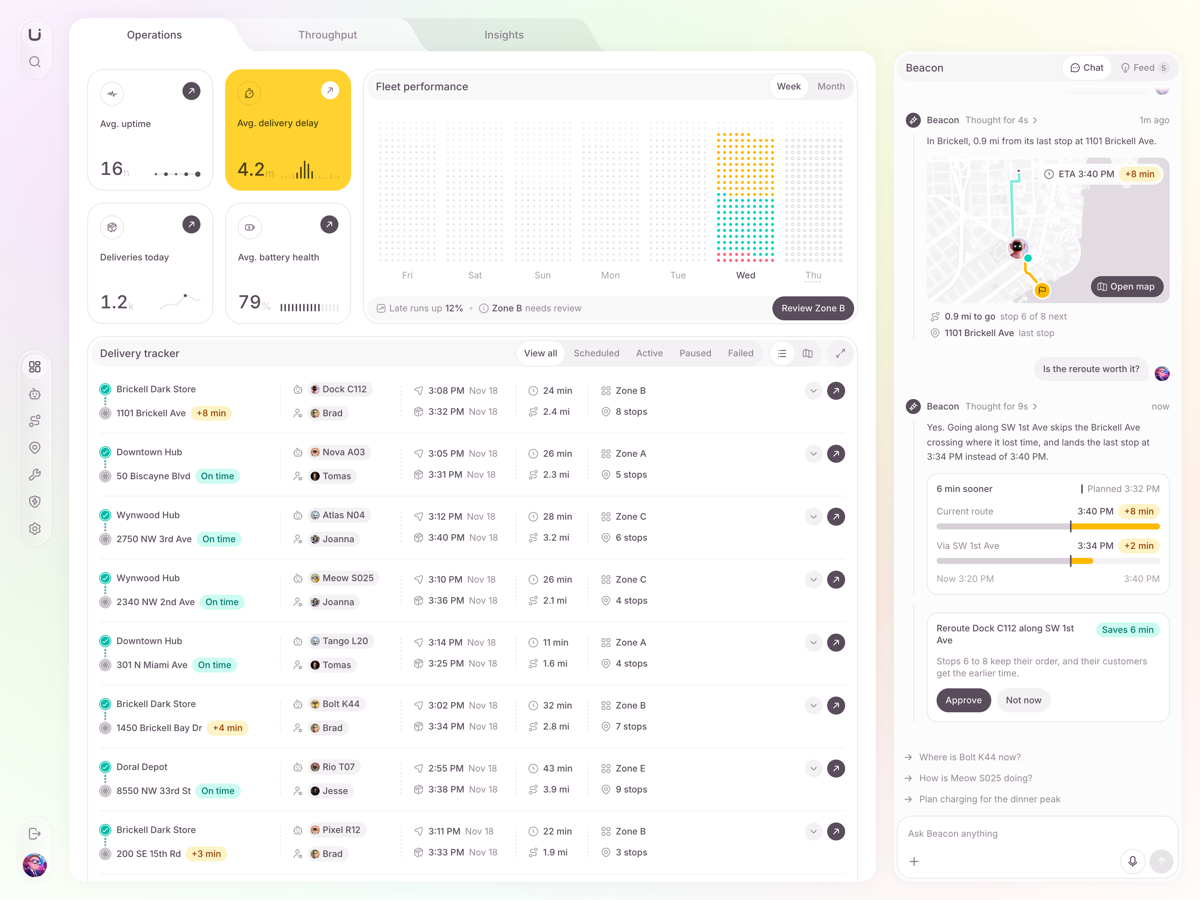
54 robots, 15 kinds.Sent to the barn, one takes the first free bay.
Pro shop till.Charge a sale to a house account and its items leave the shelves.
Beacon, without a model.Canned replies, picked by keyword, cover caddies, pace of play and house balances.
Who it is for
Agencies pitching a golf or country clubOne roster of 60 members runs through the tee sheet, events, lessons and requests.
Robotics teams demoing on-course deliveryThe demo opens at 3:20 PM with Splash running drinks 4 minutes late to the 14th.
Developers moving a club onto their APINine sections keep their getters in their own lib/data module, from tee-sheet.ts to settings.ts.
Frequently asked questions
Does it include a backend, is sign in real, and do edits survive a reload?
No backend and no auth: there is no sign in page, nothing is guarded, and Sign out in the account menu asks to confirm, then only shows a notice. Pages read plain getters in lib/data, one module per section, over typed fixtures. A booking, a sale or a payment lives in that page's state with an Undo, and a reload starts from the fixtures again; only the Robots section keeps one fleet across its list and a robot's page.
Is there a light theme?
No, it is dark only. app/layout.tsx forces dark through next-themes, and the account menu's Theme switch opens on Dark: picking Light shows a tip, "Light version is coming next", and switches nothing, while System can be picked but the page stays dark. Light tokens and a lighter painting of the course are in the code, not yet designed, and removing forcedTheme from that layout and the switch's comingSoon note in operator-menu.tsx turns them on as they stand.
How is Golf Robot Fleet different from Robot Fleet?
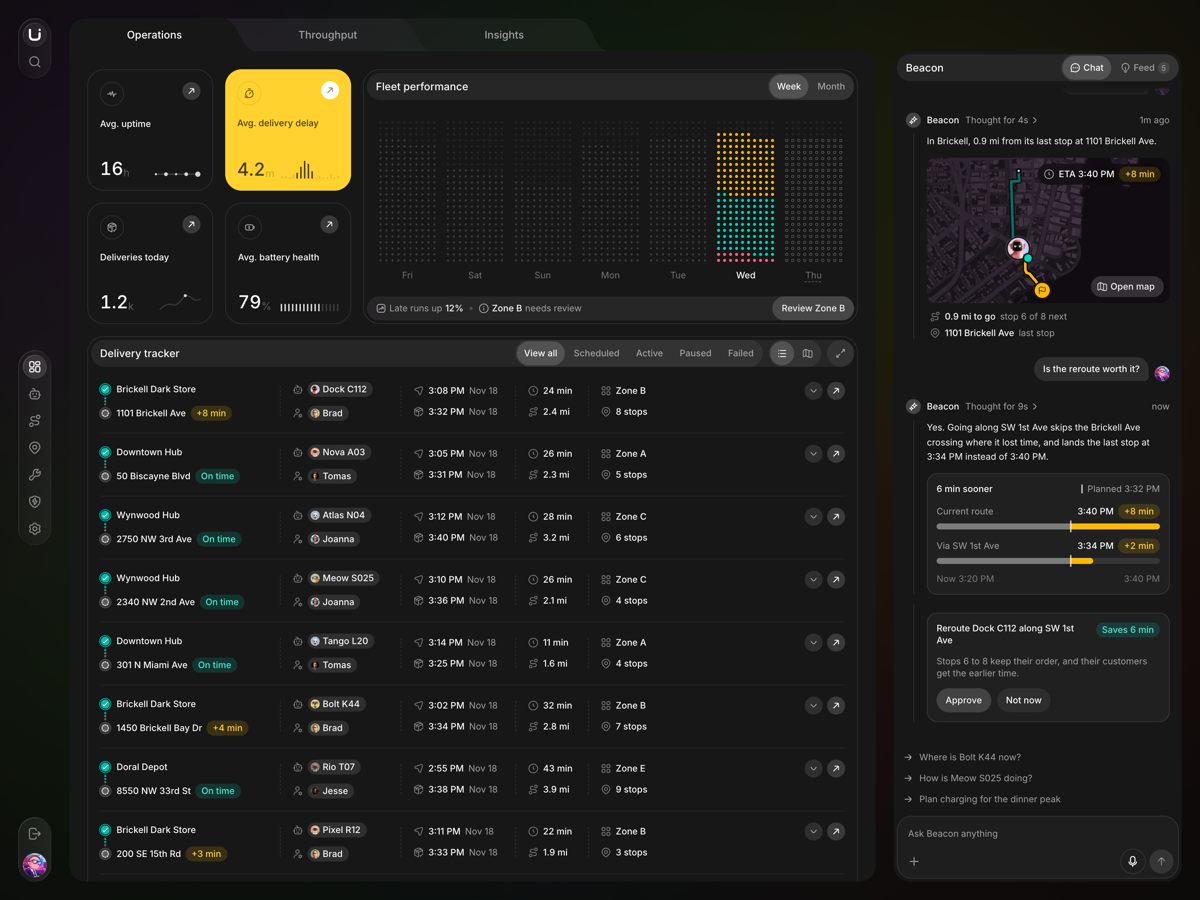
Robot Fleet is a city delivery console: a 3D MapLibre map of Miami, missions, maintenance, roles and access, light and dark themes, and a sign-in page that its Sign out returns to. Golf Robot Fleet was copied from it and rebuilt around one club's day: the tee sheet, members and house accounts, events, the pro shop and members' requests, with its 54 robots as one section of the club. Its course is painted on a canvas from lib/data/fixtures/course.ts, so it ships no map library and no tile file, and it has no sign-in page and no light theme. Both start from the same Beacon copilot and card kit.
What do I get when I download a template?
The full source of a standalone project: every page, component, route, and style, ready to run locally. Templates are built entirely from ReUI blocks and components, so the code matches the registry you already use.
Do I need a plan to download templates?
Free templates only need a ReUI account, so sign in and download. Every other template is included with the Ultimate plan, alongside all blocks and Motion Icons.
Are templates sold individually?
No. Templates come with the Ultimate plan rather than as separate purchases, so one upgrade unlocks the whole catalog, including everything added later.
How do I install a template?
Download the source, install dependencies with your package manager, add your environment variables, and run the dev server. Each template ships a README with its own setup steps.
 Dashboard