Next.js Workflow Automation Template with AI Agent Builder - ReUI
Flowly - Next.js Workflow Automation Template
new
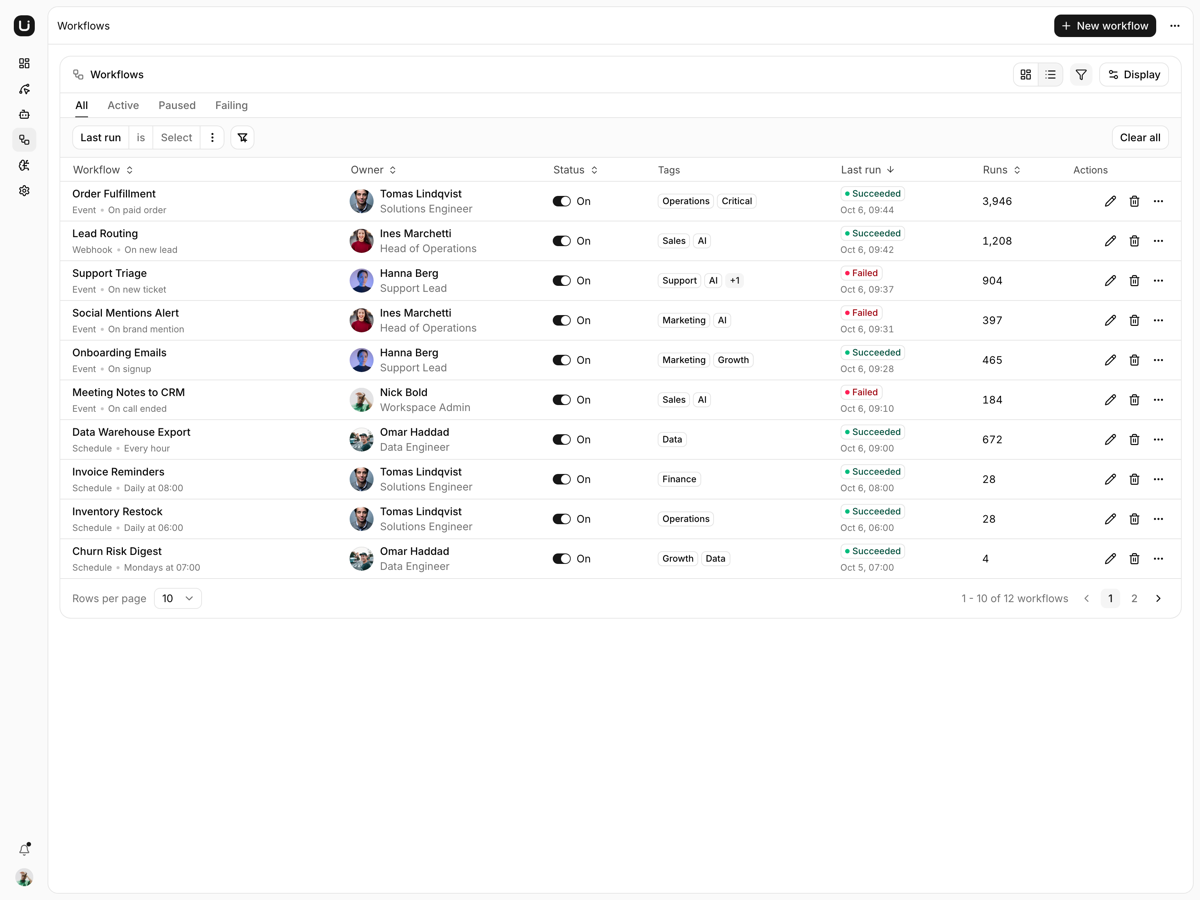
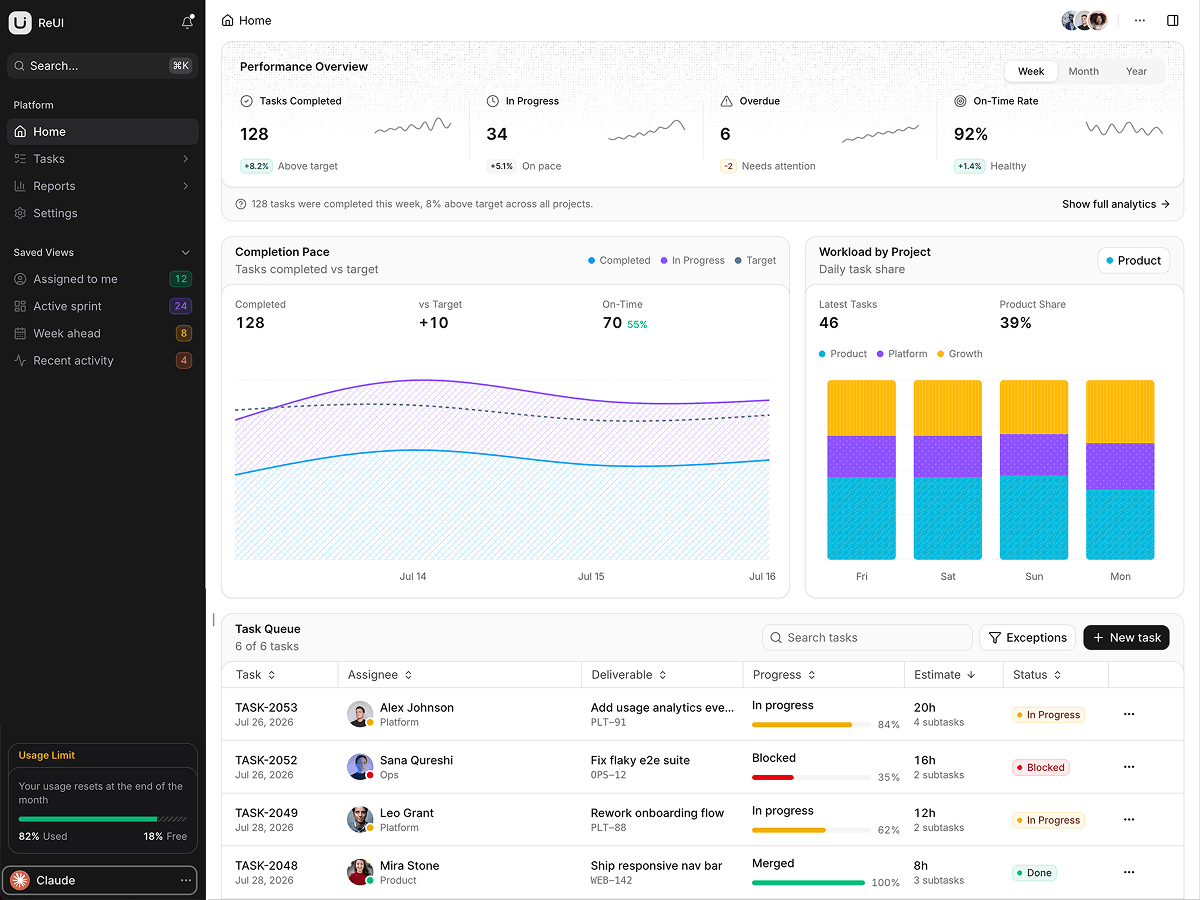
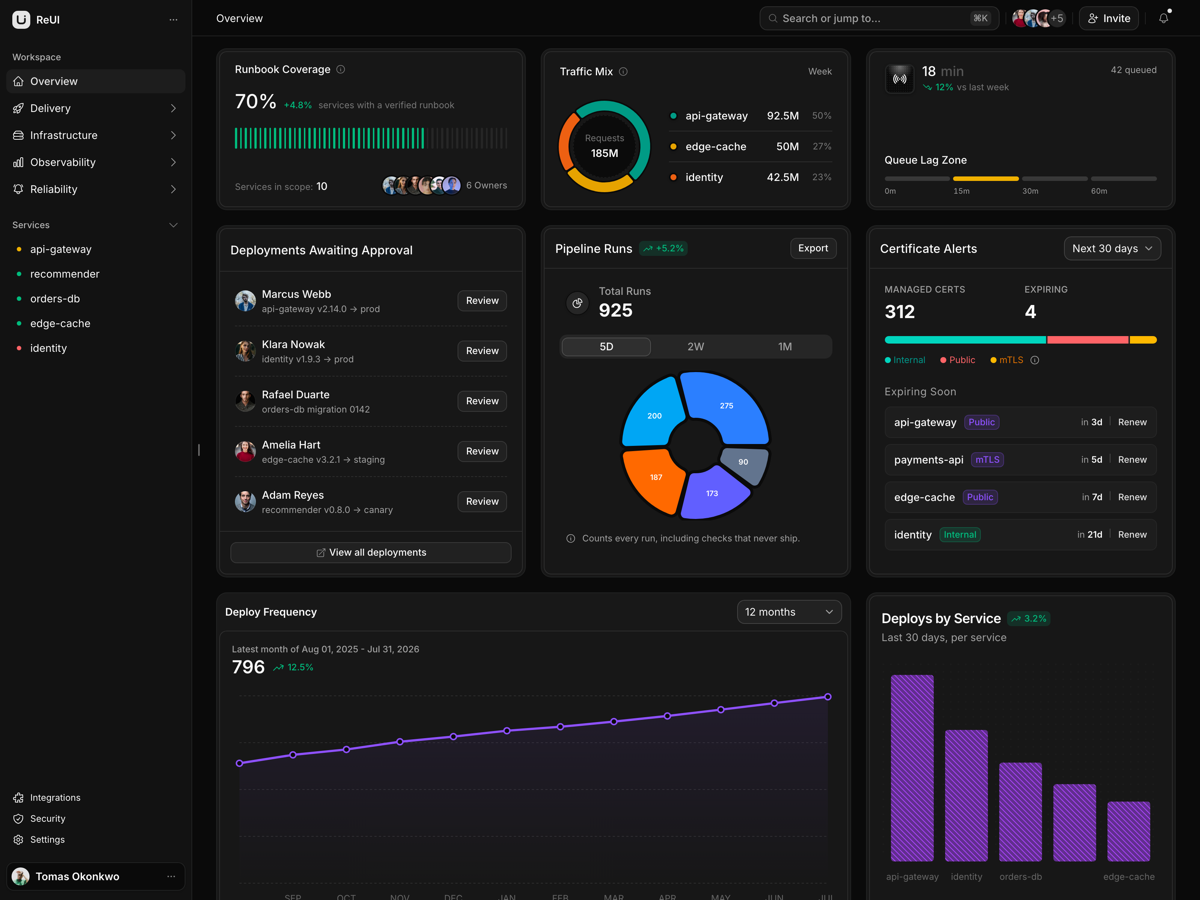
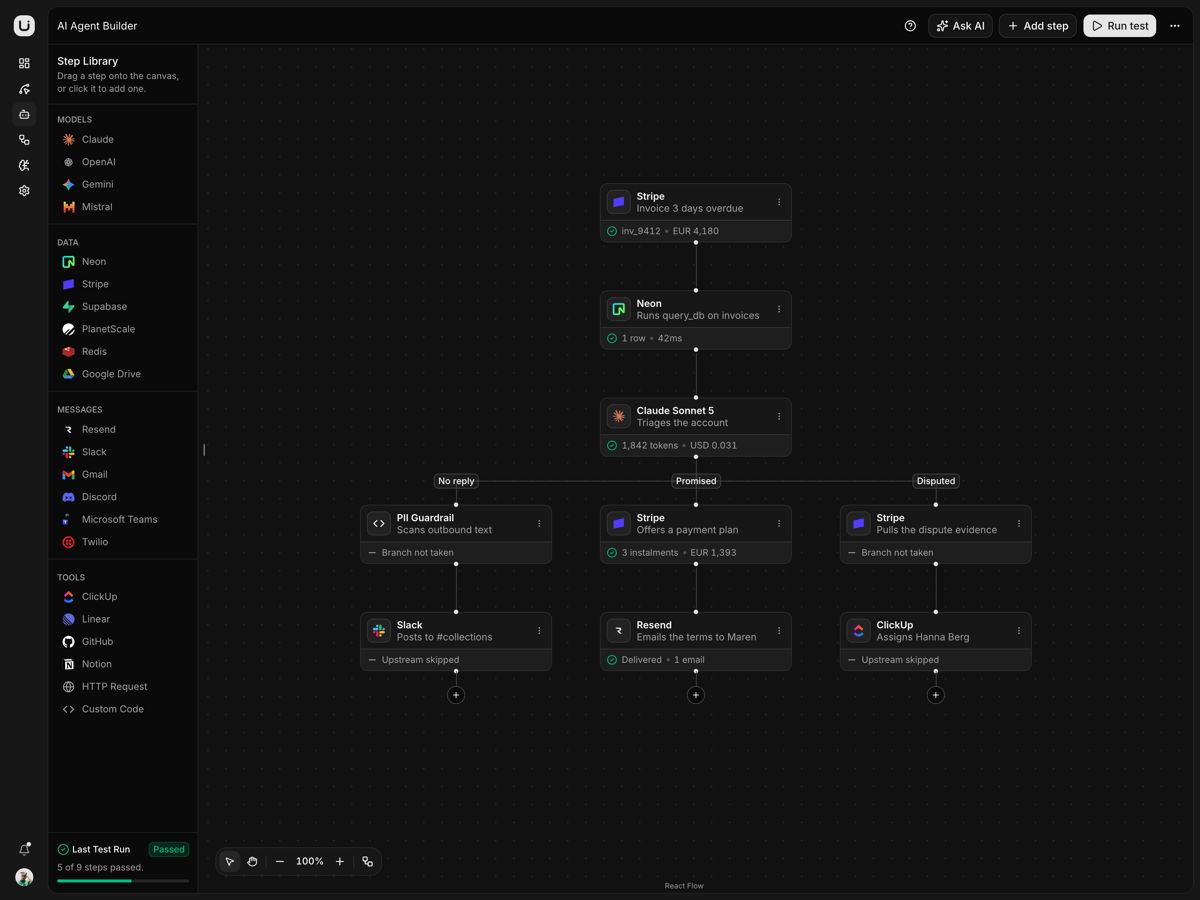
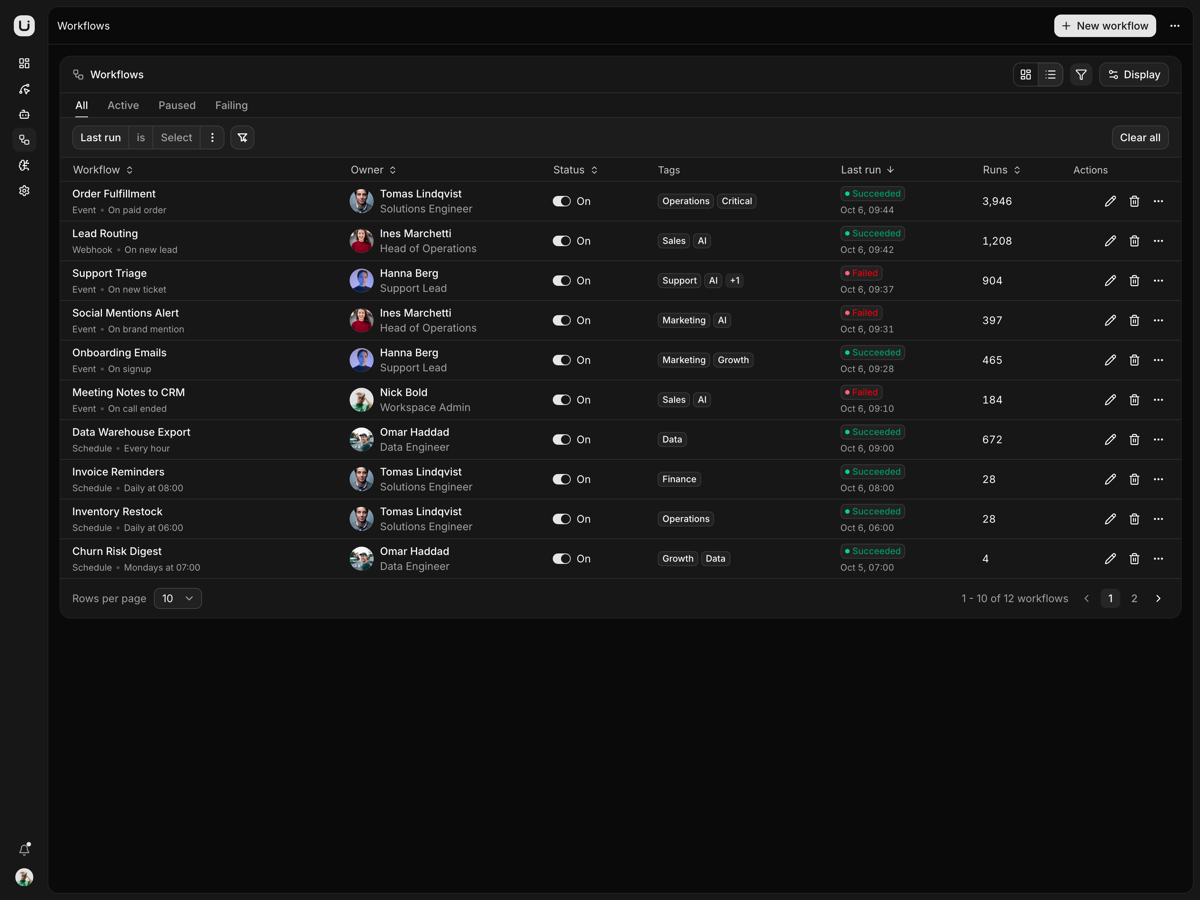
A workflow automation workspace on Next.js 16: a workflow canvas, an AI agent canvas, a run dashboard, workflow and agent lists, and ten settings sections.
More templates
What is included
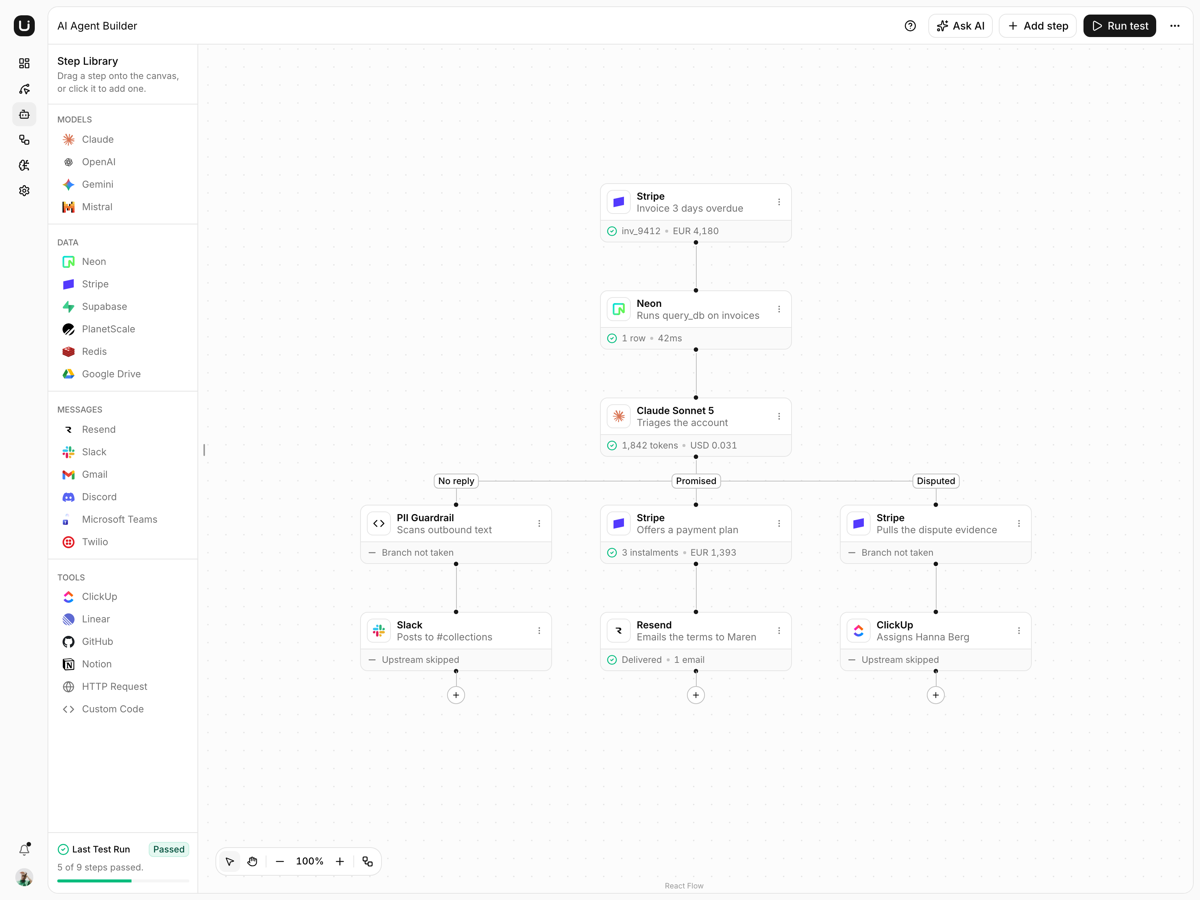
Eighteen steps, dragged in.Four groups in the panel, and a dropped card lands on the grid under the pointer.
A test run overlays.Run once walks the graph from the trigger and draws each result.
Undo covers the canvas.Every drag, wire, delete and rename on the workflow canvas takes a snapshot.
Agent tree tidies itself.dagre lays the tree out, and Tidy tree hands the layout back.
Drop onto a connector.A step let go on a connector lands inside it.
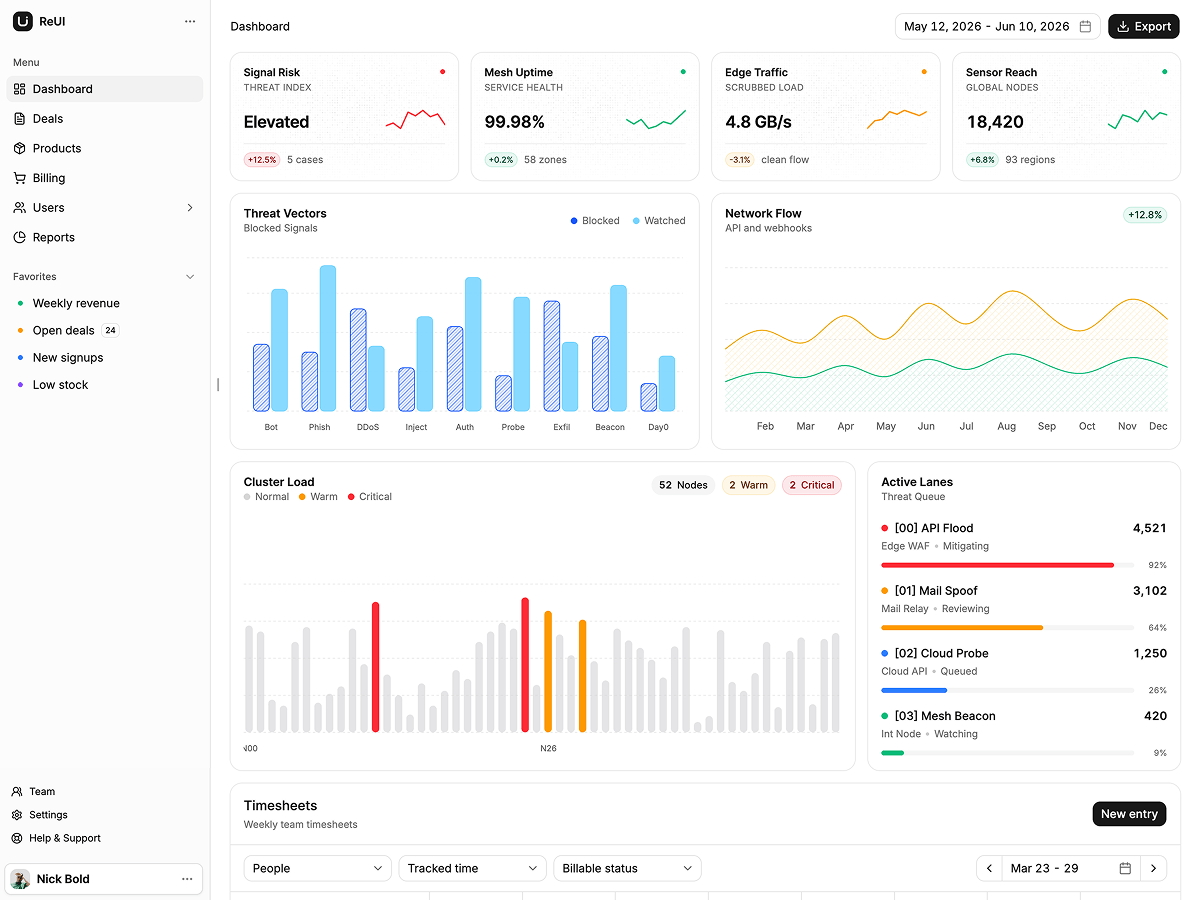
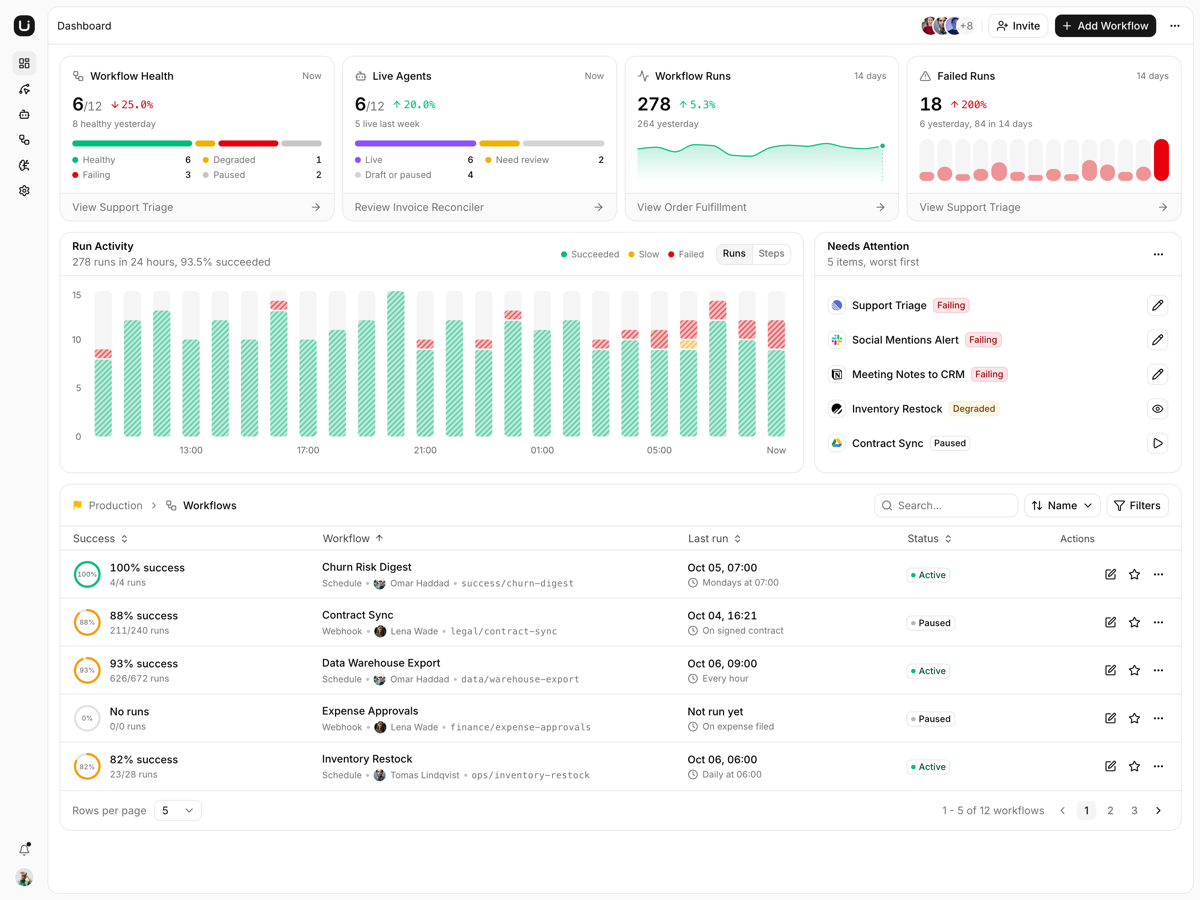
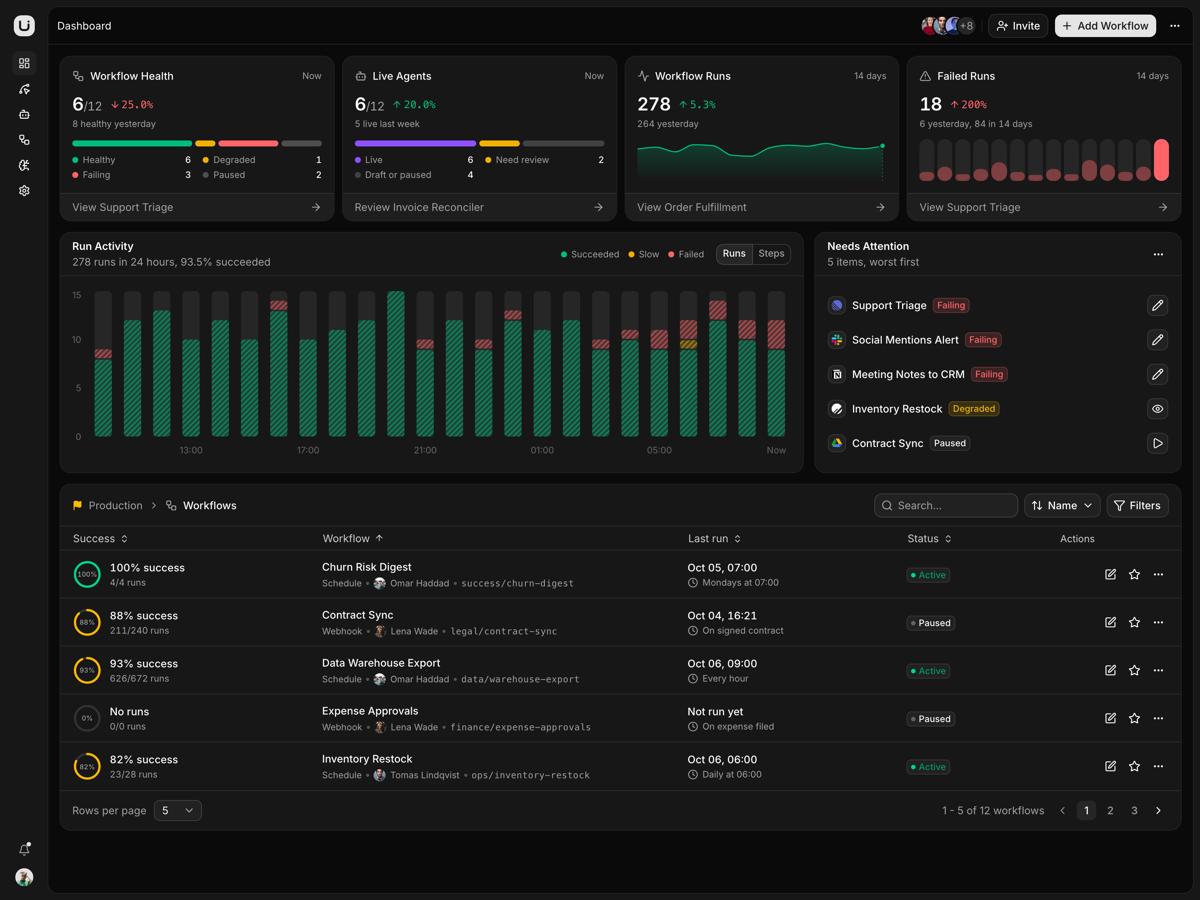
Dashboard is all derived.Stat cards, the hourly run chart and Needs Attention read the same workflow records.
Ask AI, keyword routed.The corner window replies with tables and follow-ups from a script, not a model.
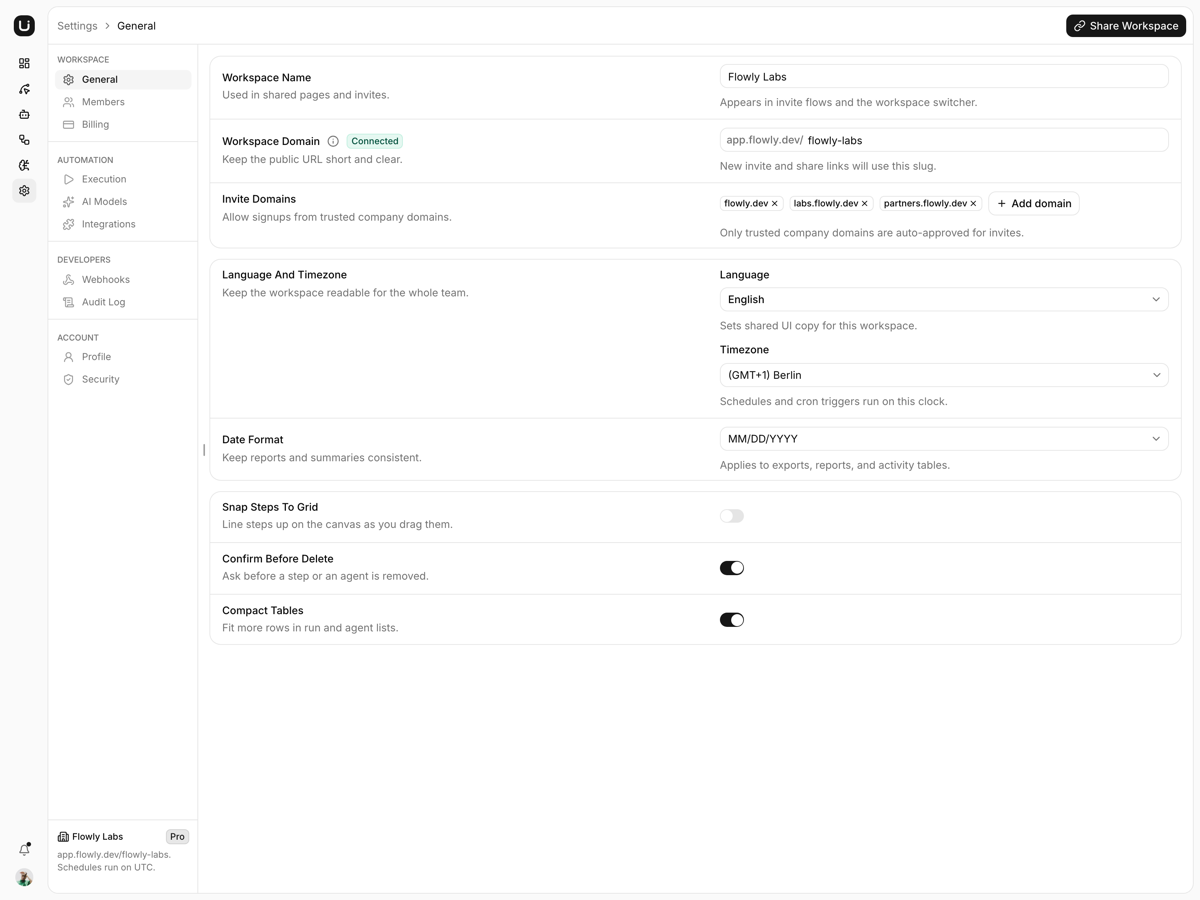
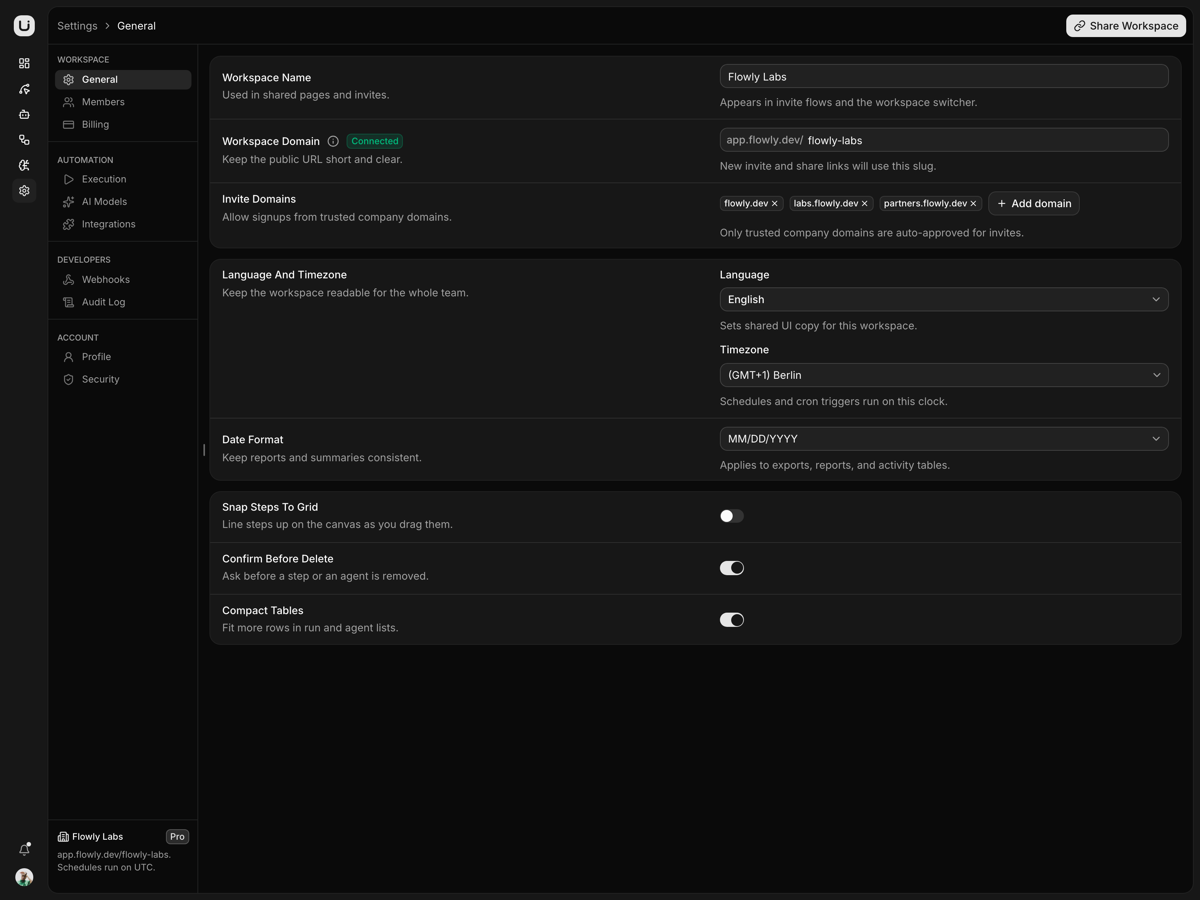
Settings are static routes.Ten sections, each prerendered, and any other segment is a 404.
Who it is for
Teams building an automation productThe canvas, the library and the run overlay are the parts you were dreading.
Products that outgrew a steps listA form cannot show a branch, and the canvas labels both paths True and False.
Ops tools that grew an AI agentThe agent canvas sits beside the workflow one, not in a second project.
Frequently asked questions
Does it include a backend, and do the workflows I draw survive a reload?
No backend. The workflows and agents every page shares sit in one React provider, components/workspace/workspace-provider.tsx, mounted in app/(app)/layout.tsx, so creating, pausing or deleting a record holds while you move between pages and returns to the seeds in lib/workspace/ on a full reload. The two canvases are narrower still: each holds its graph in useNodesState and useEdgesState inside its own page, so leaving an editor drops the steps you added and the undo history with them; only the theme and the sidebar's open state outlive a reload, in localStorage and a sidebar_state cookie. Going live means seeding the provider from your API and writing each handler through to it; every page reads the arrays through useWorkspace() and none of them cares where they came from.
Is the sign-in screen wired, or is it decorative?
Decorative, and no route is guarded. /login is the ReUI sign-in block, it lives in features/auth/, it is reached only by Sign Out in the account menu, and each path simulates its result: Google and GitHub push to /dashboard on a 700ms timer, Use Single Sign-On validates the work email against a personal-domain list first, and Continue shows a sent state whose Open sign-in link does the same push. There is no session, no proxy.ts, which is what Next 16 renamed middleware to, and no cookie that gates a route. Real auth means a credential exchange in features/auth/components/sign-in-form.tsx plus a proxy.ts matching app/(app).
How is this different from Flux, the catalog's other Next.js AI template?
Flux is the console you watch agents from: run queue, step traces, approvals, evals and token spend. Flowly is where the work gets drawn, on two React Flow canvases that nothing else in the catalog ships, with the lists and the dashboard behind them. Know three limits before you choose it: Ask AI matches your prompt against a keyword table in ai-chat/data.tsx instead of calling a model, Run once replays a scripted walk over whatever graph is on screen, and the Workflow Editor's minimap hides itself whenever the canvas is 540px or narrower, which on a 768 to 812px window is at rest.
What do I get when I download a template?
The full source of a standalone project: every page, component, route, and style, ready to run locally. Templates are built entirely from ReUI blocks and components, so the code matches the registry you already use.
Do I need a plan to download templates?
Free templates only need a ReUI account, so sign in and download. Every other template is included with the Ultimate plan, alongside all blocks and Motion Icons.
Are templates sold individually?
No. Templates come with the Ultimate plan rather than as separate purchases, so one upgrade unlocks the whole catalog, including everything added later.
How do I install a template?
Download the source, install dependencies with your package manager, add your environment variables, and run the dev server. Each template ships a README with its own setup steps.
 Dashboard